The Role of Copier Security in Protecting Sensitive Business Data
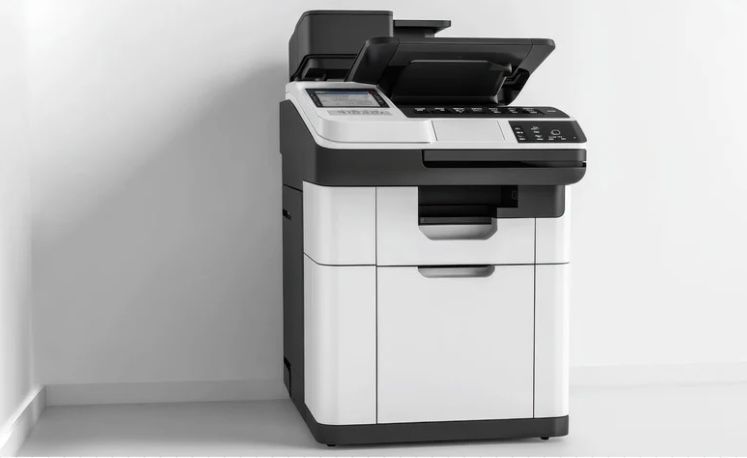
In today’s digital world, businesses are focused on securing their most valuable asset: data. While we often think of cybersecurity in terms of firewalls, encryption, and password protection, there’s one often-overlooked source of potential data breaches copiers and multi-functional printers.
Copiers are more than just devices for copying documents. They store sensitive information like financial records, customer details, and confidential business plans. Without proper security, this data could be at risk, leading to potential breaches that could harm your company’s reputation and bottom line.
Why Copier Security Matters
Copiers and printers, especially modern ones, have hard drives and memory that store scanned, printed, and copied documents. If these devices are not secured, the data they store can be vulnerable to unauthorized access. Hackers can exploit these devices to retrieve sensitive documents, or employees can inadvertently leave confidential information behind when they dispose of old machines.
Potential Risks
- Data Theft: If a copier’s hard drive is not wiped clean before disposal, sensitive data could be retrieved by malicious individuals.
- Unauthorized Access: Weak passwords and unsecured networks could allow hackers to access files directly from the copier, giving them free rein to confidential business information.
- Inadvertent Leaks: Employees may not even realize that they’re leaving behind sensitive information, such as uncollected documents or improperly disposed hard drives.
How to Secure Your Copiers
- Data Encryption: Ensure that any data transmitted from the copier to your network is encrypted. This prevents unauthorized access during the transmission of sensitive files.
- User Authentication: Use password protection or biometric access to restrict who can use the copier. This ensures that only authorized personnel have access to confidential documents.
- Regular Data Wipes: Copiers store information on their internal hard drives. When you replace or dispose of an old copier, ensure that all data is completely wiped to avoid data leaks.
- Secure Disposal: When a copier is no longer in use, don’t just throw it out. Securely erase its hard drive or, better yet, have it physically destroyed.
- Update Firmware: Keep the copier’s firmware updated to protect against vulnerabilities and security flaws. Manufacturers often release patches to address potential threats.
Employee Education and Best Practices
Employee awareness is key to preventing data leaks through copiers. Encourage your team to be mindful of what they print, scan, and discard. Establish clear guidelines for handling sensitive documents and ensure that employees know how to properly dispose of paper and digital data.
Conclusion
Copier security is an often-overlooked yet critical element in protecting sensitive business data. By taking steps to secure copiers and multi-functional printers, businesses can reduce the risk of data breaches and safeguard their most valuable asset: their information. When it comes to data protection, don’t forget to secure your copiers because every document counts.
You might also like